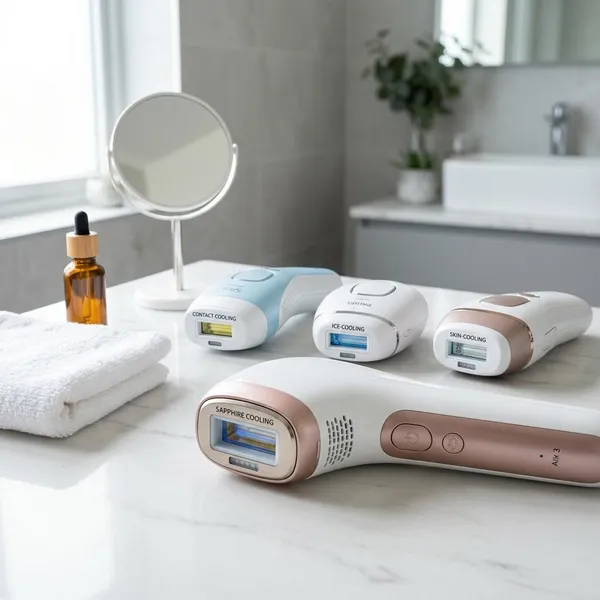
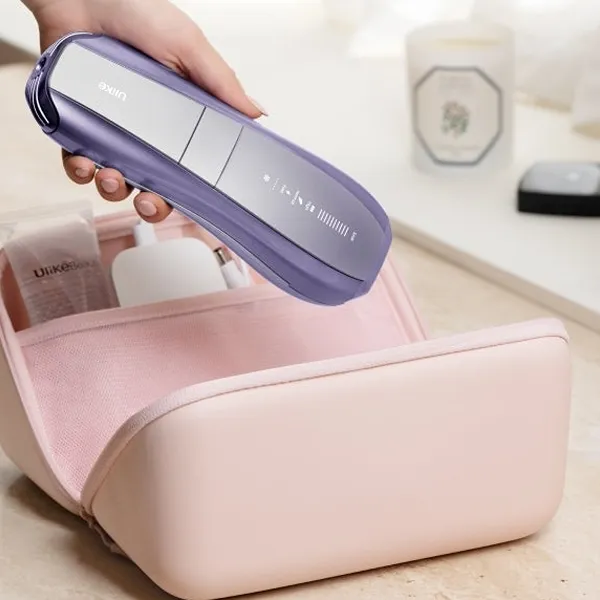
If you are comparing ipl hair removal reviews, the best pick is usually not the device with the loudest claims. Start with compatibility, then choose for the routine you will actually keep: Ulike Air 10 offers built-in sapphire cooling, SmoothSkin Pure Fit combines automatic skin tone adjustment with flexible treatment modes, and Philips Lumea 9900 offers app-based guidance.
Best IPL Hair Removal Devices at a Glance
The right at-home IPL device depends on where you want to use it, how sensitive your skin feels during treatments, and whether you prefer a simple tool or a more guided routine. None of these devices is ideal for every person, and at-home IPL is better described as long-term hair reduction than guaranteed permanent removal. The comparisons below reflect manufacturers' published features, not independent head-to-head testing.
| Device | Best reason to choose it | Better for |
|---|---|---|
| Ulike Air 10 | Cooling-focused treatments | Compatible users who prioritize cooling on approved areas such as the underarms and bikini line |
| Philips Lumea 9900 | Guided use and routine support | People who want app help, reminders, and body-area guidance |
| SmoothSkin Pure Fit | Automatic intensity adjustment, flexible modes, and a precision attachment | Compatible users treating larger areas and smaller spots within the same routine |
Ulike Air 10 for cooling and comfort
Ulike Air 10 is worth considering if you are worried about the hot snap feeling of IPL. Its built-in cooling is designed to reduce the heat sensation during treatment, including on approved areas such as the underarms, upper lip, and bikini line. Comfort varies, and cooling does not make an otherwise unsuitable treatment area safe.
Philips Lumea 9900 for guided treatments
Philips Lumea 9900 makes sense if you want a more guided experience. The Lumea IPL app provides a personalized schedule, reminders, and treatment guidance, with additional SkinAI features for the 9900 Series. These tools may be useful if remembering sessions is your main challenge.
SmoothSkin Pure Fit for fast sessions
SmoothSkin Pure Fit offers a Speed mode for faster flashes at its lowest power output, alongside glide treatment for larger areas. These features can be useful for regular body treatments, but they do not establish that Pure Fit is faster than Ulike Air 10 in comparable use.
Ulike Air 10 Review
Ulike Air 10 combines built-in cooling with automatic skin tone adjustment and multiple power modes. Its main appeal is not that it replaces every other premium device, but that these features may make an at-home IPL routine feel more manageable.
Sapphire Ice Cooling for cooler treatments
The Sapphire Ice Cooling feature is designed to reduce the heat sensation during flashes. It does not guarantee sensation-free treatment, but a cooled contact surface may improve comfort on suitable treatment areas.
- Areas to consider: approved areas such as the underarms, bikini line, and upper lip, provided your skin tone and hair color are compatible.
- Comfort varies: legs and arms can also feel heat during treatment, and individual sensitivity differs.
- Still important: perform the recommended patch test and do not use cooling as a reason to treat irritated, damaged, or otherwise unsuitable skin.
Multiple modes for different hair needs
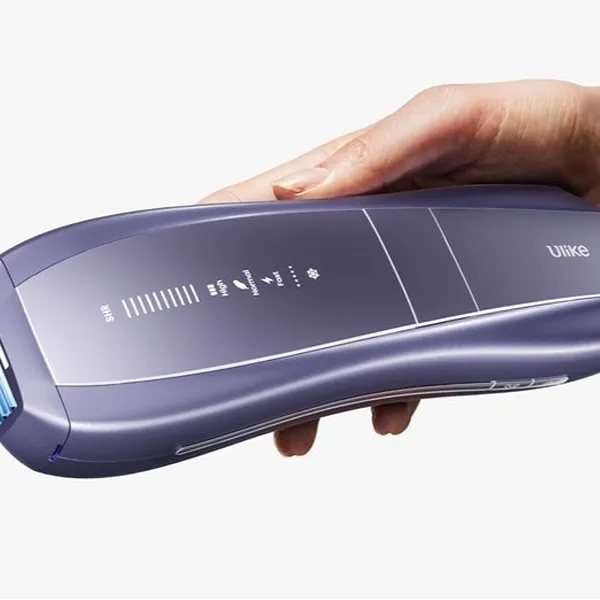
Air 10 has four power modes: Fast, Normal, High, and SHR. Ulike describes Fast as suitable for maintenance and quick touch-ups, Normal for finer to normal hair, High for thicker hair on less sensitive areas, and SHR for stubborn hair using a four-pulse burst.
Choose a mode according to the device instructions and your patch-test response. Do not assume a stronger setting is suitable simply because an area has coarse hair, and do not increase intensity to compensate for an unsupported skin tone or hair color.
SkinSensor for automatic adjustment
SkinSensor detects skin tone, automatically adjusts energy output, and stops flashing when it detects skin that is too dark for treatment. Treat it as a safety support, not permission to skip the compatibility chart. It does not make unsupported skin tones suitable or establish that light-colored hair will respond.
AutoGlide for larger areas
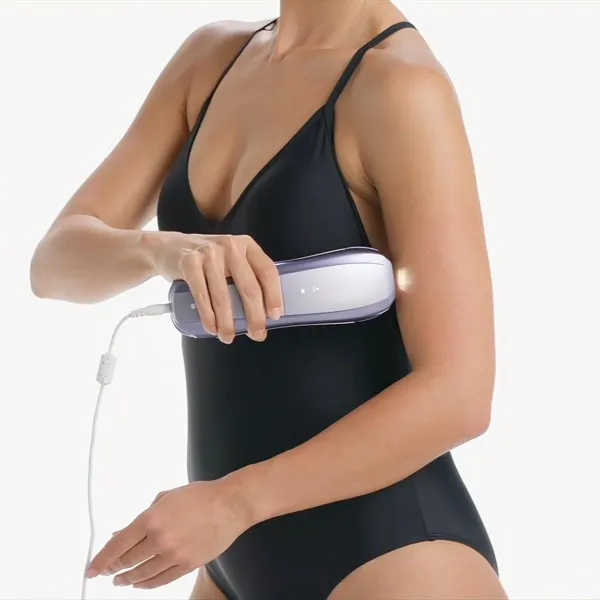
AutoGlide provides automatic repeated flashes to reduce button presses when covering larger areas such as the legs or arms. It is separate from the four power modes and cannot be activated while using SHR mode. Maintain proper skin contact and follow the device instructions rather than moving faster than the flashes can cover the area.
Best fit for comfort-focused users
Ulike Air 10 may suit someone who prioritizes built-in cooling over app-based guidance. It is a reasonable option to compare if heat sensation is a concern, but its features do not prove that it will be the most comfortable device for every user.
For app-based scheduling and guidance, Philips Lumea 9900 offers a clearly documented alternative. SmoothSkin Pure Fit offers different modes and a precision attachment, but speed alone is not a verified reason to rank it above Air 10.
SmoothSkin Pure Fit Review
SmoothSkin Pure Fit combines automatic skin tone adjustment, three comfort modes, glide and stamp treatment, and a detachable precision head. These features support both larger treatment areas and smaller spots that need more careful positioning.
This is the kind of device that may suit a busy routine. If you plan to treat legs and arms after work, ease of use and a manageable session length may matter more to you than app-based guidance.
Automatic skin tone sensing
Pure Fit's automatic skin tone sensor continuously reads the treatment area and adjusts the energy of each flash accordingly. This reduces the need to choose an intensity manually, although it does not remove the need to follow the safety instructions.
You still need to check the brand's own skin tone and hair color chart before buying. A sensor can help during use, but it cannot make IPL effective on hair colors or suitable for skin tones the device does not support.
Three comfort modes
Pure Fit has Power, Gentle, and Speed modes. Power uses the highest output allowed for the detected skin tone, Gentle reduces the output, and Speed uses the lowest power for faster flashes. SmoothSkin describes Speed as useful for larger areas with less dense hair and for maintenance; the three modes are not simply a beginner-to-advanced intensity ladder.
Glide and stamp treatment
Glide and stamp modes serve different purposes. Glide is useful when covering broad areas, while stamp allows more deliberate placement on smaller spots.
- Use glide for: approved larger areas such as calves, thighs, and forearms.
- Use stamp for: approved smaller areas such as bikini line edges, fingers, and toes. Facial use must follow the device's specific restrictions.
- Avoid rushing: maintain full skin contact and follow the recommended movement and coverage instructions.
Precision head for small areas
Pure Fit includes a detachable precision head for smaller areas such as the upper lip, fingers, and toes, subject to the device's treatment-area restrictions. SmoothSkin notes that using this attachment slows the device, so it recommends using it only where needed.
Best fit for quick full-body use
SmoothSkin advertises a full-body treatment time of around 10 minutes for Pure Fit. Ulike also advertises around 10 minutes for Air 10, so these claims do not establish a clear speed winner. Actual session length depends on the areas treated, mode, attachment, and technique.
If you are only doing small touch-ups, maximum flash speed may matter less than accurate placement. For larger areas, compare how each device's modes and treatment window fit your routine rather than relying on advertised session times alone.
How to Choose an IPL Hair Removal Device
Choose in this order: compatibility first, comfort second, speed third, then controls, price, and warranty. A device with impressive features is still the wrong purchase if your skin tone or hair color is not supported.
Check skin and hair compatibility
This is the first check, not a detail for later. Home IPL targets pigment in the hair and generally works best when there is sufficient contrast between the hair and surrounding skin. Gray, white, red, and very light blond hair are generally poor candidates, while deeper skin tones may fall outside a device's safe operating range. Follow the specific compatibility chart rather than treating excluded combinations as merely less effective.
Confirm compatibility before performing the recommended patch test. A successful patch test does not override restrictions on skin tone, treatment areas, tanning, or skin conditions. If you have a history of strong skin reactions or uncertainty about suitability, ask a dermatologist rather than guessing.
Compare cooling and comfort
Comfort matters because IPL requires repeated sessions. Built-in cooling and lower-output modes may make treatment easier to tolerate, but they do not guarantee painless use or suitability for reactive skin.
For sensitive areas, follow the device's approved settings and patch-test instructions rather than choosing maximum intensity. Do not continue treatment if it becomes painful or your skin develops an adverse reaction.
Compare treatment speed
Speed matters most when you plan to treat larger areas. Look for glide mode, a practical flash rhythm, and attachments that match the body parts you actually care about.
- List your treatment areas. Small approved areas generally need less coverage time than both legs.
- Check glide support. It can help with broad areas, but availability may depend on the selected mode.
- Look at attachment size. A larger treatment window can cover more skin per flash, while a precision attachment may make small areas easier to position.
- Read real-use feedback. Advertised treatment times are not guarantees and may reflect different modes, areas, or testing conditions.
Compare sensors and controls
Look at what each sensor actually does. Ulike Air 10 and SmoothSkin Pure Fit automatically adjust energy according to skin tone. Philips Lumea 9900 uses its SmartSkin sensor to help you select a suitable setting from five adjustable light settings. These functions should not be described as identical automatic controls.
Compare price and warranty
A cheaper IPL device is not good value if it lacks useful safeguards, feels uncomfortable, or has weak support if something fails. A premium device is not automatically better either; it needs to solve a real problem for your routine.
Check the return window, warranty length, included attachments, and compatibility guidance for the exact model and country of purchase. If two devices look close, choose the one you would feel more confident using for several months, not the one with the most dramatic product-page wording.
Conclusion
Pick the IPL device that fits your routine: consider Ulike Air 10 for built-in sapphire cooling, SmoothSkin Pure Fit for its automatic intensity adjustment and flexible treatment options, and Philips Lumea 9900 for app-based reminders and guidance. These are feature-based distinctions, not proof that one device is universally more comfortable or faster. Check compatibility before everything else, and avoid buying any device that does not clearly support your skin tone, hair color, and intended treatment areas.