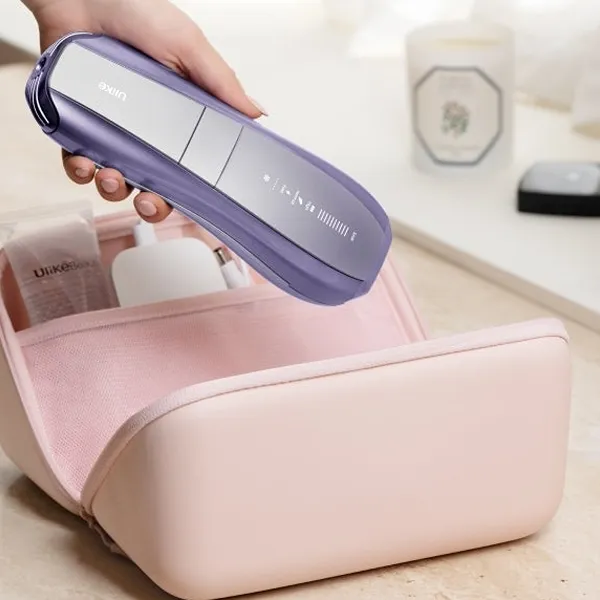
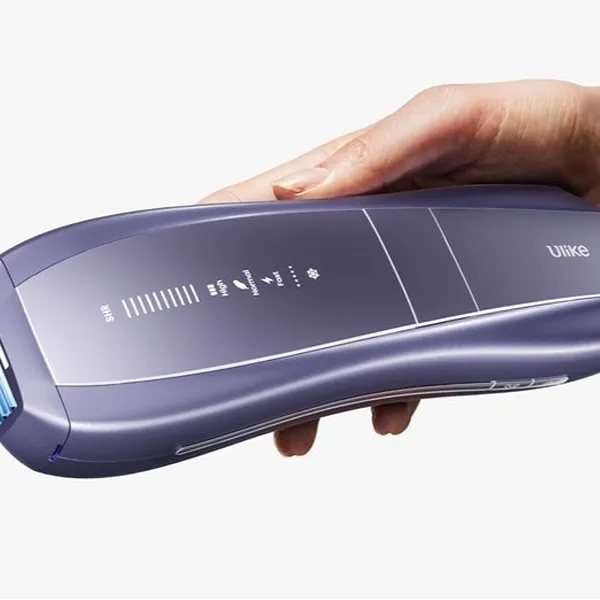
The Ulike Air 10 modes are easiest to choose when you start with the hair problem, not the button name: use Fast for maintenance and quick touch-ups, Normal for fine-to-normal hair, High for thicker coarse hair, and SHR for stubborn or resistant hair. AutoGlide is separate from those modes; it changes how you apply the flashes, and it works for larger areas when you want a smoother routine.
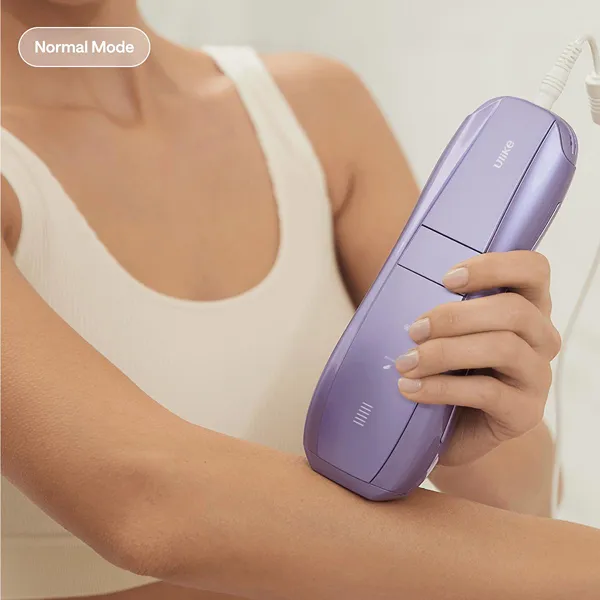
What are the Ulike Air 10 modes?
Ulike Air 10 has four main treatment modes: Fast, Normal, High, and SHR. Each one is meant for a different balance of speed, treatment strength, and precision, so the best mode can change from one body area to another.
Fast Mode for maintenance and quick touch-ups
Fast Mode is the one to reach for when the area already looks mostly under control and you want to keep up with light regrowth. It makes the most sense on larger, easier-to-cover areas such as legs or arms, especially if long sessions are the reason you tend to skip treatments.
Normal Mode for fine to normal hair
Normal Mode is the safer middle ground when you are not sure where to begin. For fine to normal hair, it gives you a balanced pace without jumping straight to the strongest setting.
This is also a good mode for learning how your skin reacts. If an area feels comfortable and the hair is not especially coarse, there is no need to move up just because a stronger option exists.
High Mode for thicker coarse hair
High Mode is built for thicker, coarser hair that needs more than a light maintenance pass. It is most useful on less sensitive areas where the hair is visibly denser, such as parts of the legs, underarms, or bikini line edges, depending on your comfort.
SHR Mode for stubborn resistant hair
SHR Mode is designed for stubborn or resistant hair that may benefit from a higher-intensity multi-pulse treatment. Ulike specifically positions it for challenging hair in areas such as the underarms, bikini line, chest, and facial hair.
What does each Ulike Air 10 mode do?
The modes change how quickly the device flashes, how strong the treatment feels, or how the energy is delivered. That difference matters because a quick maintenance pass and a stubborn coarse patch do not need the same treatment style.
Fast Mode flashes every 0.5 seconds
Fast Mode flashes every 0.5 seconds, so its main benefit is pace. It is useful when you are covering a broad area and do not want the session to turn into a slow stop-and-start routine.
Normal Mode balances power and flash speed
Normal Mode sits between the quick feel of Fast and the stronger feel of High. It is the mode to use when the hair is visible but not especially thick, or when you want a steady setting for routine sessions.
High Mode delivers stronger treatment for coarse hair
High Mode increases treatment strength for coarse hair. That makes it more suitable when a lower setting feels too mild for the hair type, especially on areas where the skin can comfortably tolerate a stronger pass.
- Use it when: the hair is thick across a larger area.
- Be careful when: the area is curved, delicate, or easily irritated.
- Do not use it just because: you want faster results on already-fine regrowth.
SHR Mode delivers a 26J four-pulse burst
SHR Mode delivers a 26J four-pulse burst, which makes it different from a normal broad pass. Instead of moving quickly over a large area, you place the device more deliberately on a stubborn spot.
The four-pulse delivery makes SHR different from Fast, Normal, and High modes. It is designed for stubborn or resistant hair and operates in manual mode rather than AutoGlide.
Which Ulike Air 10 mode should you use?
Start by checking three things: hair thickness, body area, and whether you are in active treatment or maintenance. If you skip that step and simply choose the strongest setting, you may make the session less comfortable without solving the real problem.
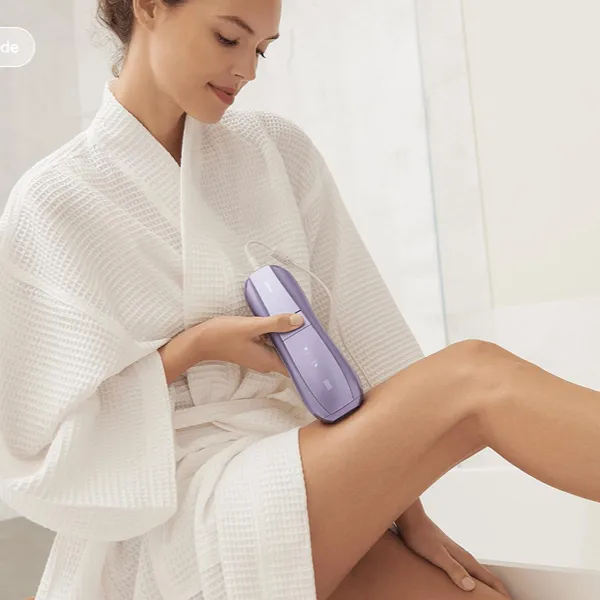
Fast Mode for maintenance and larger areas
Choose Fast Mode when the job is mostly coverage. It suits large, fairly flat areas where the hair has already reduced and the main goal is staying consistent without spending too much time.
Normal Mode for fine to normal hair
For fine to normal hair, Normal Mode is the appropriate regular treatment option. If you are using Air 10 for the first time, perform the recommended patch test first; Ulike advises starting the patch test with Fast Mode before selecting the treatment mode that matches your hair and skin.
High Mode for coarse hair on less sensitive areas
High Mode makes sense when the hair is clearly coarse and the area is not overly sensitive. Lower legs are often a more natural fit than delicate curved zones, because placement is easier and comfort is usually more predictable.
If an area feels too intense, step back rather than forcing it. With home IPL, a mode you can use consistently and carefully is more useful than a strong setting you dread using.
SHR Mode for stubborn hair on targeted areas
SHR Mode is designed for stubborn or resistant hair. Unlike Fast, Normal, and High modes, SHR operates manually and delivers four consecutive pulses per activation. Choose it based on how resistant the hair is rather than simply on the size of the treatment area.
How does AutoGlide work on Ulike Air 10?
AutoGlide is not a fifth power mode. It is an application style that lets the device keep flashing while you glide it across the skin, which is useful when the area is large enough for steady movement.
The mode still decides the treatment behavior; AutoGlide decides whether you apply it with continuous motion. That distinction helps avoid a common misunderstanding: AutoGlide is about convenience, not about replacing the mode choice.
AutoGlide works with Fast, Normal, and High modes
AutoGlide can be used with Fast, Normal, and High modes. That gives you flexibility: Fast with AutoGlide for quick maintenance, Normal with AutoGlide for regular broad-area sessions, or High with AutoGlide when coarse hair covers a larger suitable area.
AutoGlide delivers continuous flashes while you glide
With AutoGlide, you move the device steadily and it delivers repeated flashes as you go. The benefit is not just speed; it also reduces the awkward rhythm of placing, pressing, lifting, and repeating across a big area.
Move carefully enough that you do not skip strips of skin. Rushing a glide pass can create missed patches, which defeats the point of using a faster application style.
AutoGlide is best suited to larger treatment areas
AutoGlide works best on larger, flatter areas such as legs and arms. Those areas give you room to keep the device moving evenly and make the time-saving benefit noticeable.
Manual placement is often better around curves, edges, or small patches where accuracy matters more than speed. If you are working near the bikini line edge or a small underarm section, slowing down usually gives you better control.
AutoGlide does not work with SHR Mode
AutoGlide does not work with SHR Mode because SHR uses manual four-pulse bursts. That is intentional: SHR is meant for focused placement on stubborn hair, not continuous coverage.
High Mode vs SHR Mode
High Mode and SHR Mode are easy to mix up because both are used when hair needs more attention. The main difference is the type of hair and the pulse delivery. High Mode is designed for thicker, coarse hair, while SHR Mode uses a 26J four-pulse burst for particularly stubborn or resistant hair.
High Mode is designed for thicker coarse hair
High Mode is a good fit for thicker, coarse hair in generally less sensitive areas. Choose it when the hair type matches this description rather than treating it as a required step before SHR Mode. If the hair is particularly stubborn or resistant, SHR Mode may be the more appropriate option.
SHR Mode targets particularly stubborn hair
SHR Mode is designed for particularly stubborn or resistant hair. It delivers a 26J four-pulse burst, giving it a different treatment pattern from High Mode.
- Choose High: thicker, coarse hair in generally less sensitive areas.
- Choose SHR: particularly stubborn or resistant hair that calls for the four-pulse SHR treatment.
- Keep in mind: SHR works in manual mode and does not support AutoGlide.
High Mode can be used with AutoGlide
High Mode can be used with AutoGlide, which makes it more practical for larger coarse-hair areas. This is the main convenience advantage High has over SHR.
SHR Mode uses manual four-pulse bursts
SHR Mode uses manual four-pulse bursts, so each placement is more deliberate. That slower rhythm is useful for stubborn spots, but it is not efficient for broad coverage.
The choice between High and SHR should depend on the hair you are treating rather than on a fixed treatment sequence. High Mode is intended for thicker, coarse hair, while SHR Mode uses a manual four-pulse burst for particularly stubborn or resistant hair.
Conclusion
The smartest way to use the Ulike Air 10 is to match the mode to the job in front of you: Fast for easy upkeep, Normal for balanced regular use, High for wider coarse regrowth, and SHR for stubborn or resistant hair that needs its higher-intensity four-pulse treatment. AutoGlide is worth using when it makes a large area easier to finish, but manual placement is still better when precision matters.